Your Watch Later,
finally sorted.
DockYT pulls in your YouTube Watch Later so you can sort it into folders, by hand or with AI. It's free, needs no account, and works on your phone too.
Dock
8 videos
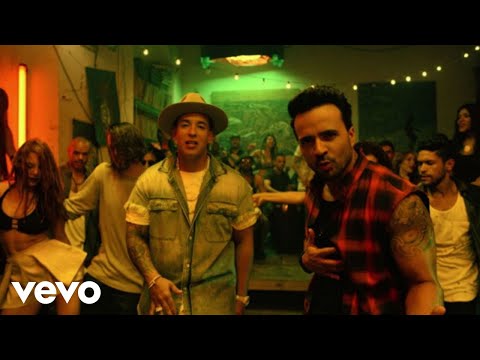 4:42

Luis Fonsi - Despacito ft. Daddy Yankee
LuisFonsiVEVO
9y ago
 15:04

Steve Jobs' 2005 Stanford Commencement Address
Stanford
18y ago
 8:10

Glitter Bomb 1.0 vs Porch Pirates
Mark Rober
7y ago
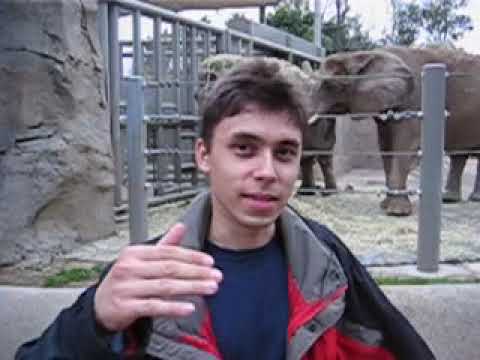 0:19

Me at the zoo
jawed
21y ago
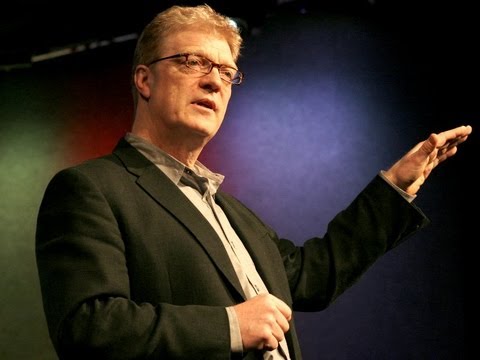 20:03

Do schools kill creativity? | Sir Ken Robinson | TED
TED
19y ago
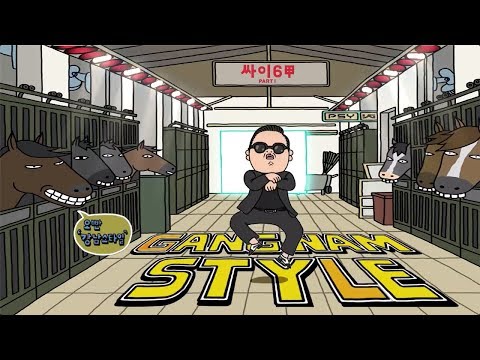 4:12

PSY - GANGNAM STYLE(강남스타일) M/V
officialpsy
14y ago
 0:56

Charlie bit my finger - again !
HDCYT
19y ago
 19:05

Why No One Has Measured The Speed Of Light
Veritasium
5y ago
Set it up once, then just sort.
YouTube doesn't let apps read your Watch Later, so a small Chrome extension reads it for you and hands it to DockYT.
- Extensions
DockYT Sync
Version 0.2.0
1Add the extension
Download it from DockYT, unzip it, and load it on your browser's extensions page. It works in Chrome, Edge, Brave or Arc on a computer.
- Watch laterSyncing208 of 312
2Open your Watch Later
The extension scrolls through the list and sends every video to DockYT. Nothing changes on YouTube.
Luis Fonsi - Despacito
LuisFonsiVEVO
Music53Sort them into folders
New videos land in the Dock. Move them into folders yourself, or let auto-organize suggest a folder for each one.
The app walks you through the setup.
Built for the 400 videos you swore you'd watch.
Pin your go-to folders, let AI take a first pass, then go through what's left one card at a time.

Pin folders to the bottom of the screen
Pinned folders sit in a tray under your videos. Drop a video on one without scrolling back to the sidebar.
Dock6
Let AI sort the Dock
Gemini reads each title and channel and picks one of your folders. You check the plan, change anything it got wrong, then apply it.
Review the oldest first
Go through a folder one card at a time, oldest first. The arrow keys keep or toss a video, and 1 to 9 file it in a folder.
Move to
Move it, or take it back
Every video has a Move menu, so you can file it without dragging. Changed your mind? Undo, or press ⌘Z.
Inside the Mind of a Master Procrastinator | Tim Urban | TEDIn other folders
 Do schools kill creativity? | Sir Ken Robinson | TEDLearn
Search every folder
Press / and type part of a title or a channel name. Matches in your other folders show up too.
TED3 videosSort and group by channel
Sort by date added, length or title, or group a folder by channel and move a whole channel at once.
Sync when you save more
Press sync and DockYT opens your Watch Later to pick up anything new. Videos you already filed stay where you put them.
Sort from the couch.
Pair your phone and go through your Dock one card at a time. Whatever you sort on one device shows up on the other.
Pair with a QR code
In DockYT on your computer, open Settings, then Phone, and scan the code with your phone's camera. There's no account to make.
Swipe through your Dock
Swipe right to keep a video, left to toss it, or up to move it to a folder. Tap play to watch it in the YouTube app.
Save from the YouTube app
On Android, add DockYT to your home screen and share any video to it. It lands in your Dock on both devices.
Set it up on a computer first, then pair from Settings.
 8:10
Glitter Bomb 1.0 vs Porch Pirates
Mark Rober
Saved 2 days ago
15:04Steve Jobs' 2005 Stanford Commencement Address
Stanford
Saved 2 days ago
4:42Luis Fonsi - Despacito ft. Daddy Yankee
LuisFonsiVEVO
Saved 2 days ago
Your list stays yours.
Your 2am rabbit holes are nobody's business, ours included. DockYT keeps your list in your own browser, and only your paired devices can read it.
No account
Your videos and folders are saved in your browser's storage. There is nothing to sign up for.
Phone sync is locked
Paired devices share a key that only they have. DockYT's sync server stores your changes locked with it and can't read them.
The extension only reads
It reads your Watch Later page and hands the list to DockYT. It never adds, removes or changes anything on your YouTube account.
AI is optional and uses your key
Auto-organize sends video titles, channel names and folder names straight to Google Gemini with your own API key. Skip it and Google sees none of it.
Questions
Can you make folders in YouTube Watch Later?
Not on YouTube. Watch Later is one long list, and YouTube can reorder it but can't split it up. DockYT reads that list and lets you sort it into your own folders, on your computer and your phone.
How do I clean up a huge Watch Later list?
Sync it into DockYT and run Auto-organize, which files most videos into your folders in one pass. Then go through the rest with Review, oldest first, and keep or toss each one with the arrow keys.
Which browsers does DockYT work in?
Chromium-based browsers on a computer, such as Chrome, Edge, Brave and Arc, because the extension that reads Watch Later is a Chrome extension. Firefox and Safari are not supported. The phone app works on Android and iPhone once you pair it.
Is DockYT free?
Yes. Auto-organize uses a Gemini API key from Google AI Studio, which has a free tier and only needs a Google account.
Why does it need an extension?
YouTube's API doesn't give apps access to Watch Later, even with your permission. The extension reads the list from the Watch Later page in your own browser instead.
Can I use it on my phone?
Yes, once it's set up on a computer. The extension only runs in Chrome, Edge, Brave or Arc on a computer, so new videos come in there. Then pair your phone from Settings, and sort, review and watch from either one.
What if I lose my phone?
Open Settings on your computer, then Phone, and choose Unpair all devices. That changes the pairing code, so the lost phone stops syncing. It keeps the videos it already had but gets nothing new. Then pair the devices you still use again.
Does it remove videos from my Watch Later?
No. DockYT only reads your Watch Later. Tossing a video hides it in DockYT, and removing it from Watch Later still happens on YouTube.
What happens if I clear my browser data?
Your folders are saved in the browser, so clearing site data for DockYT deletes them. Settings can save a backup file of your folders and videos, and restoring it brings everything back. Without one, syncing again brings your videos back into the Dock, but you'd need to sort them again.
Is DockYT made by YouTube?
No. It is an independent project and is not affiliated with YouTube or Google.
Your Watch Later won't sort itself.
Okay, auto-organize comes close. Open DockYT, add the extension, and your videos show up in the Dock.
Open DockYT